appconsent-ui-v3
AppConsent® cmp, the transparency-based consent management platform.
Get AppConsent SDK
To add the AppConsent SDK to your Android project, follow the steps below :
In your global
gradle.propertiesfile, add the following and replace${username}by the provided username and${encrypted_password}by the provided encrypted password. Please contact us, if you don't have your${username}and${encrypted_password}.
appconsent_artifactory_client_username=${username}
appconsent_artifactory_client_password=${encrypted_password}
Content copied to clipboard
In your project
build.gradlefile, underallprojects/repositoriesadd the following:
maven {
    url "https://artifactory.datalf.chat/artifactory/app-consent-v2-release"
    credentials {
        username = "${appconsent_artifactory_client_username}"
        password = "${appconsent_artifactory_client_password}"
    }
}
Content copied to clipboard
In your application
build.gradlefile, underandroidadd the following:
compileOptions {
    sourceCompatibility JavaVersion.VERSION_1_8
    targetCompatibility JavaVersion.VERSION_1_8
}
Content copied to clipboard
In your application
build.gradleadd the following:
dependencies {
    implementation 'com.sfbx.appconsent:appconsent-ui-v3:${currentClearVersion}'
}
Content copied to clipboard
AppConsent uses androidX Jetpack, so it's not compatible with android.supportapplications.
How to use AppConsent
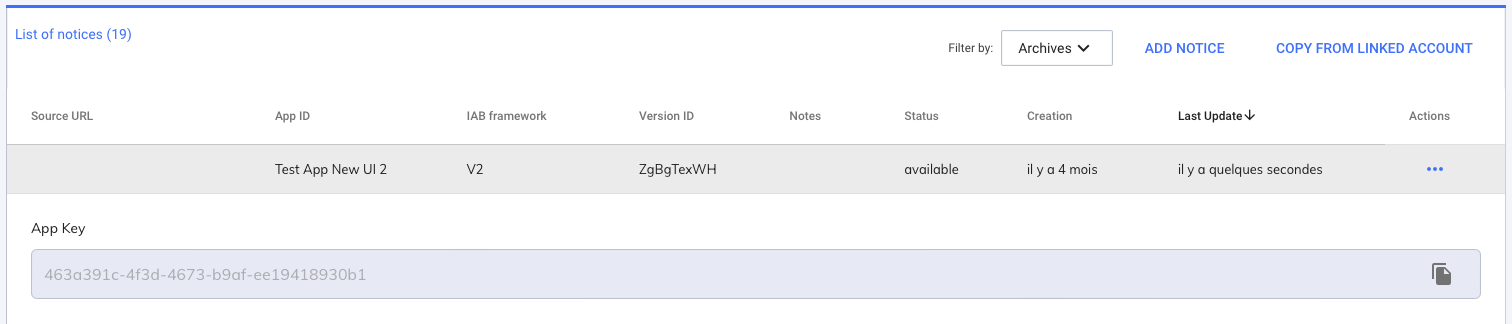
1. Get your AppKey from AppConsent : https://app.appconsent.io
2. Create AppConsentUI
import android.os.Bundle
import androidx.appcompat.app.AppCompatActivity
import com.sfbx.appconsent.ui.AppConsentUI

class MainActivity : AppCompatActivity() {

    override fun onCreate(savedInstanceState: Bundle?) {
        super.onCreate(savedInstanceState)
        setContentView(R.layout.activity_main)

        val appConsentUI = AppConsentUIV3(
            context = this,
            appKey = "YOUR_APP_KEY",
            forceApplyGDPR = true
        ) {
               it.presentNotice(false)
        }
    }
}
Content copied to clipboard