> For the complete documentation index, see [llms.txt](https://docs.sfbx.io/llms.txt). Markdown versions of documentation pages are available by appending `.md` to page URLs; this page is available as [Markdown](https://docs.sfbx.io/configuration/step-2-create-a-notice/2.1.-create-a-source.md).
# 2.1. Create a source
***
#### Create a source for your website or your mobile app
Go to **Sources** on the left menu and click on **Create source**.
This is the source form :
## General information
* **Type:** Website, Unified SDK or Mobile App
* **Website URL or Application name:** Enter the URL of your website (can be either HTTP or HTTPS) or enter the name of your application (Unified SDK or Native SDK)
* **Notes**: Leave notes if you need them for your own usage
## Vendors
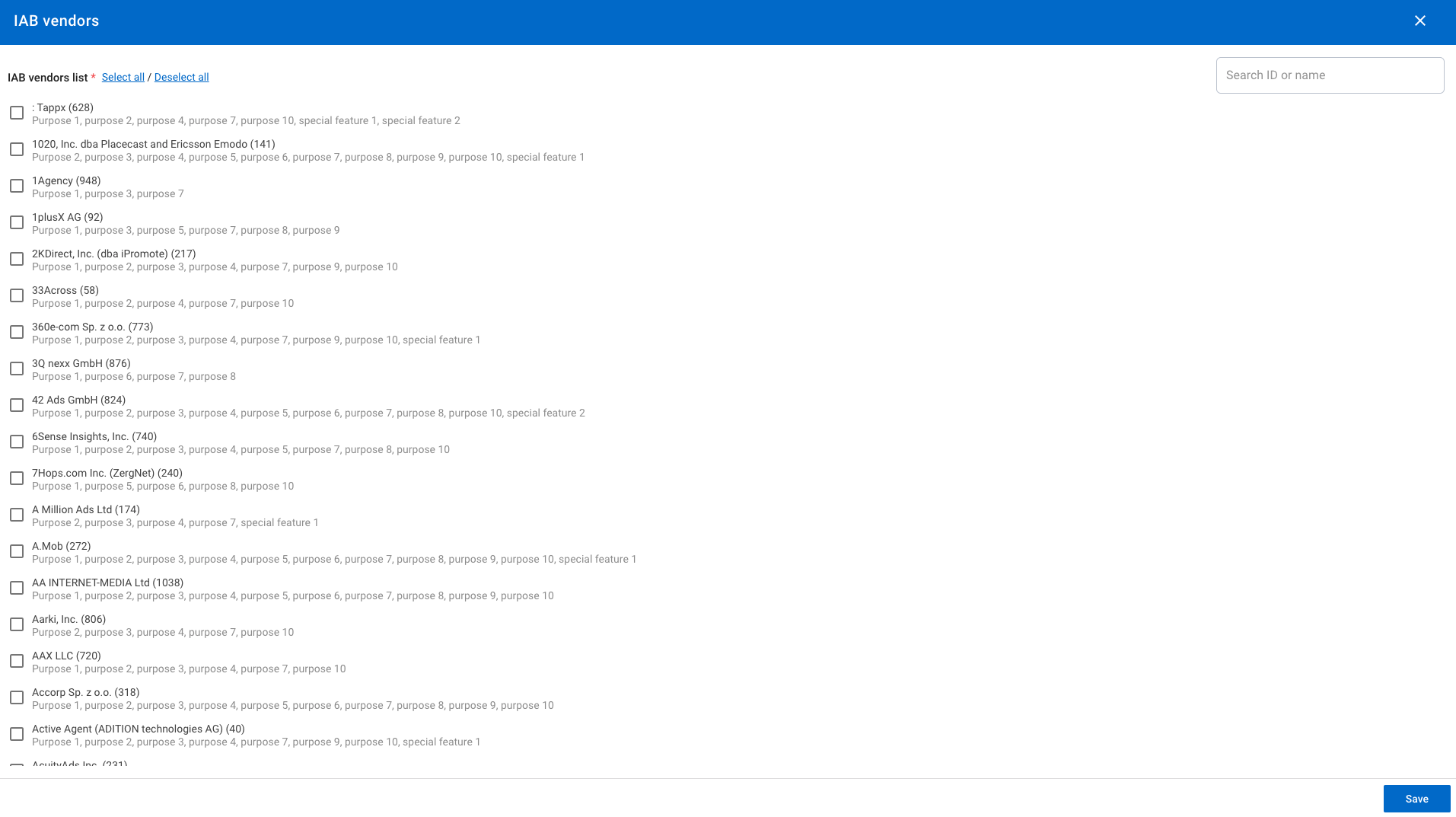
* **IAB Vendors:** Select all the IAB vendors that are present on your website/ app from **Select** button
* **Extra vendors:** Choose the extra vendors you have created. You will also find a shortcut link "Create extra vendor" to create one at the bottom of the field or leave it blank if you don't have any.
* **Global extra vendors**: Choose any extra vendor from the [global extra vendors](/configuration/step-2-create-a-notice/2.1.-create-a-source/global-extra-vendors-global-extra-purposes.md) list provided by SFBX. These vendors are predefined and shared across all accounts. Their associated\
purposes are automatically added to the source when selected.
{% hint style="info" %}
**NOTE**
Utiq is an exception, it cannot be selected here and must be enabled from the "[Enable Utiq](#utiq-technology)" switch in the *Advanced Settings section*.
{% endhint %}
{% hint style="success" %}
**TIP**
**Which vendors are present on my website?** To find out, use our Consent Guard tool, you will find all the trackers (cookies and other technical files) that are deposited on your website, and then come back to create your source.
{% endhint %}
{% hint style="info" %}
**NOTE**
**GVL:** It is updated automatically every Thursday night. In order to apply the new GVL in your notices, already created, you need to edit your sources, select all vendors, and save again the sources, don’t forget to save also the notices associated.
{% endhint %}
## Purposes & Features
{% hint style="info" %}
**NOTE**
Using AppConsent CMP, you can get the 12 IAB purposes. To guide you, purposes are automatically selected by us from your vendor's selection, but you can still delete some of them or transform them into stacks (defined group of purposes) that match your data collection and usage.
Concerning the stacks, the only legal rule is that you can't have the same purpose displayed two times for different usages, but our interface won't let this happen.
{% endhint %}
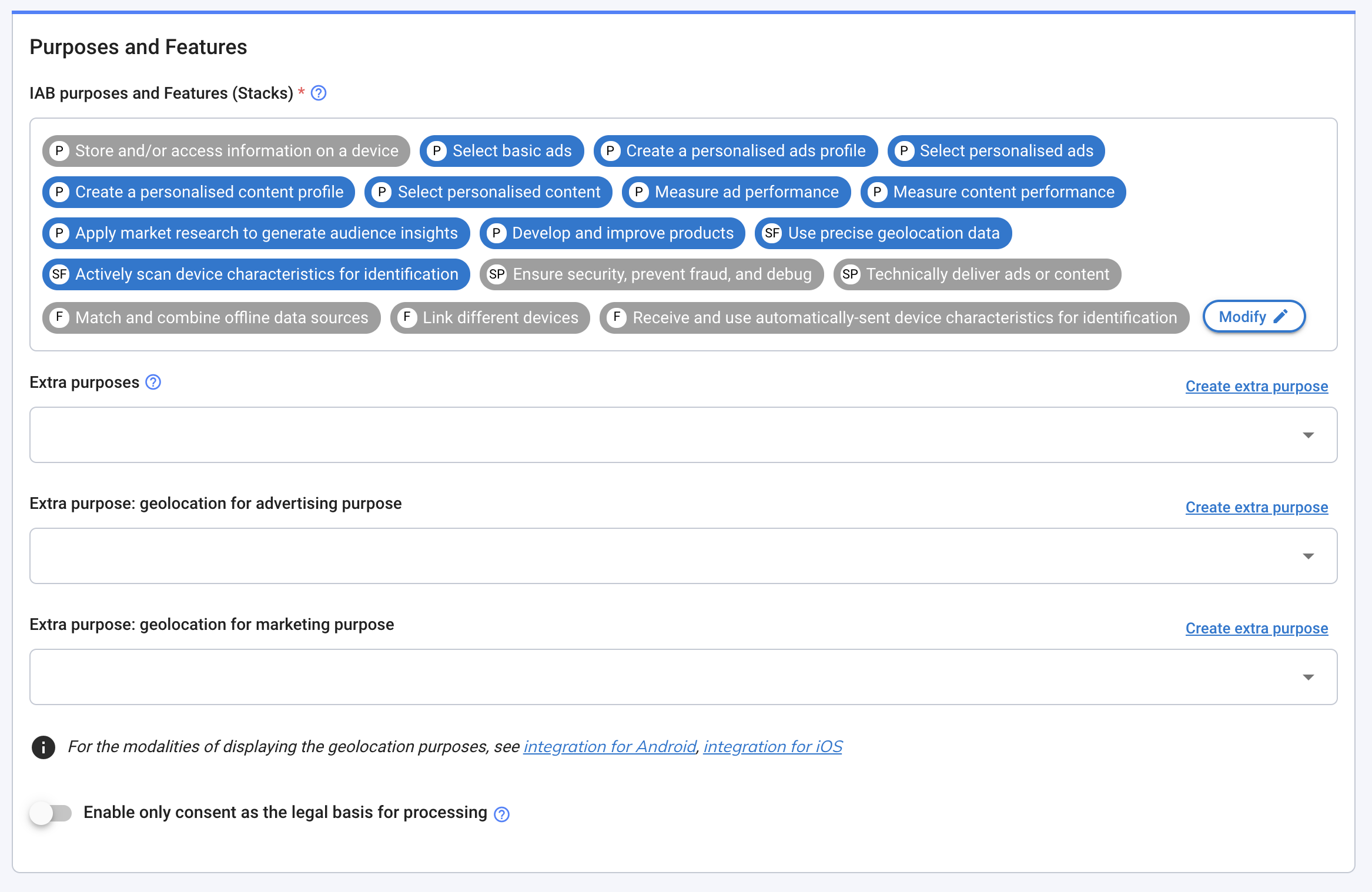
* **IAB purposes and features (Stacks):** you will automatically have purposes and features by selecting some vendors above, but you can still edit them.
Eventually, you can delete some purposes from **Modify**. By doing so, note that you will automatically delete the associated vendors, as long as the vendors were only present for that goal.
You can't add purpose if you don't have any vendors related to them. To do so, click on **Modify**.
{% hint style="info" %}
**NOTE**
Here is the list of purposes and features that are not editable once you have the vendors related.
* Purpose 1: Store and/or access information on a device
Mandatory:
* Special purpose 1: Ensure security, prevent fraud and debug
* Special purpose 2: Technically deliver ads or content
* Feature 1: Match and combine offline data sources
* Feature 2: Link different devices
* Feature 3: Receive and use automatically-sent device characteristics for identification
{% endhint %}
From **Modify**, you can also transform some purposes into stacks. On the right side, click on one or several stacks that match your way of collecting data. Automatically, purposes that composed that stack will be unselected. If you change your mind, just unselect stacks, and purposes associated will automatically be selected
{% hint style="success" %}
**TIP**
We recommend you to use stacks, it enables you to display less content on the main page of your consent notice, and that will be appreciable for your audience. When clicking on the stack, they will see all the purposes inside.
{% endhint %}
* **Extra purposes:** Choose the extra purpose you have created. You will also find a shortcut link **Create extra purpose** to create one at the bottom of the field or leave it blank if you don't have any.
* **Global extra purposes:** Choose any purpose from the global extra purposes list provided by SFBX. These purposes are predefined and shared across all accounts. They are automatically linked when you select the related global extra vendor.
{% hint style="info" %}
**NOTE**
Some of your privacy use-cases are not present in the IAB framework, that's why you can create Extra purpose to display them below the IAB purposes.
Some examples: geolocation purposes for mobile, newsletter...
{% endhint %}
* **\[For mobile app source only] Geolocation purposes:** A geolocation purpose is created like any other extra purpose, from the Source form, create your geolocation purpose directly with the short link **Create extra purpose** at the end of the Extra purpose field. It will be added automatically in the field.
Then, select them in the dedicated field: **Extra purpose: Geolocation for advertising purpose** and/or **Extra purpose: Geolocation for marketing purpose.**
Leave blank if you don't have any.
{% hint style="danger" %}
**ATTENTION**
For existing notices live in production, if you add or change the purposes linked to a source, you must regenerate the notice concerned by this source: just edit the notice you want and save it (you don't need to alter anything). A new version of the CMP will be pushed to production.
{% endhint %}
For the modalities of displaying the geolocation purposes, go to the right section for Android and for iOS.
* **Enable only consent as the legal basis for processing:** if the option is activated, only the purposes falling under the legal basis of consent are taken into account in the collection. Purposes falling under the strict legitimate interest (with right of opposition) are still visible on the notice but won't be collected.
{% hint style="danger" %}
**CAUTION**
Legitimate interest is one of the actionable legal bases that vendors may want to leverage in order to process your data and the data of your visitors.
In short terms:
* With consent: Without a YES it's a NO,
* With legitimate interest: Without a NO it's a YES.
This legal base is clearly disputed for marketing purposes and moreover, it' not possible to use this legal base in order to access or drop cookies in almost all EU countries.
{% endhint %}
{% hint style="info" %}
**NOTE ABOUT FLEXIBLE LEGAL BASES**
In the IAB TCF V2, vendors can declare Flexible purposes. That means that they can operate data on both legal base signals.
When you activate **Enable only consent as the legal basis for processing**, here are the underlying things that happen:
**Case 1**: Vendor under full consent - No change
**Case 2**: Vendor with some purposes in Legitimate interest This vendor will lose the right to operate under legitimate interest for selected purposes.
**Case 3**: Vendor with some purposes in Legitimate interest and Flexibles Purposes. This vendor will see his flexible purposes applied in consent and not a legitimate interest. This vendor will lose the right to operate under legitimate interest for selected purposes.
{% endhint %}
* **Link your add-ons**: If you have some extra vendors, you can link them to purpose 1 (IAB) or any other extra purpose that you have created. To do so, click on **Choose purpose**.
If you have some extra purposes, you can link them to any IAB vendors that you have previously selected or extra vendors that you have created. To do so, click on **Choose vendor**.
* **Advanced Settings** : Several advanced settings are available.
## Advanced Settings
### **Automatic deletion of cookies**
#### Enable automatic cookies deletion after withdrawal of consent (switch)
When enabled, all 1st party cookies are deleted upon withdrawal of consent, except those you explicitly list to be kept.
Turn this option on to activate the deletion, then use the Cookies to keep field below to define the exceptions.
#### Cookies to keep after withdrawal of consent
This option lets you list the cookies that must be retained after a user withdraws consent (for example, technical or session cookies you need to preserve).
**How to fill in this field ?** Enter one cookie name per line, press `Enter` to start a new line for each additional cookie. Each line is matched independently, and the field supports regular expressions.
Example:\
\_mycookie\
cookie.\*
When enabled, a 1st party UUID will be generated and stored in a cookie to identify users across subdomains. You **must** edit the text field below the switch to define the subdomain.
### Excluded URLs from display
This option allows you to specify URLs on which the CMP will not be displayed. This is useful for pages such as privacy pages.
**How to fill in this field ?** Enter one URL per line, press `Enter` to start a new line for each additional URL. Each line is matched independently, and the field supports regular expressions.
### Utiq technology
Utiq is a telecom-operator-powered marketing identifier technology. When enabled on a source, the CMP declares a dedicated Utiq vendor and purpose, displays a Utiq paragraph in layer 1 of the consent banner, and loads the Utiq script from a customer subdomain (`utiq.` CNAME).
For more details on the Utiq integration, see the [Utiq integration page](/configuration/step-3-notice-implementation-web-app-tv/web-cmp/utiq-integration.md).
### Meta Consent Mode
Meta consent mode makes the Facebook pixel wait for the visitor's consent before it sends any event. Enabling the setting adds the Meta global extra vendor and its purposes (1, 3, 4 and 7) to the source.
The Facebook pixel base code is also added to the integration script of every notice attached to the source. The setting is available on website sources only.
For more details, see [the Meta/Facebook pixel page](/configuration/step-3-notice-implementation-web-app-tv/google-gtm/meta-facebook-pixel.md).
## Migrating an App source to Unified SDK
The Duplicate & migrate to Unified SDK option is only available for sources of type App.
The migration is non-destructive: your original source and its notices are never changed. A copy of the source and of all its active notices is created and converted to the Unified SDK.
{% hint style="info" %}
A few settings are adapted automatically, because App and Unified SDK notices don't share the exact same options:
* the App onboarding image is reused as the notice icon
* the "Accept / Understand" banner action (App-only) is replaced by the default action
* App-only settings with no Unified SDK equivalent (e.g. the "Accept all" button highlight, rollback availability, several App-specific colors, the geo-advertising icon) are removed.
All other settings (texts, translations, colors, images, vendors, purposes and stacks) are kept unchanged.
{% endhint %}
## Save the source
{% hint style="success" %}
Confirm by clicking on **Save.**
{% endhint %}
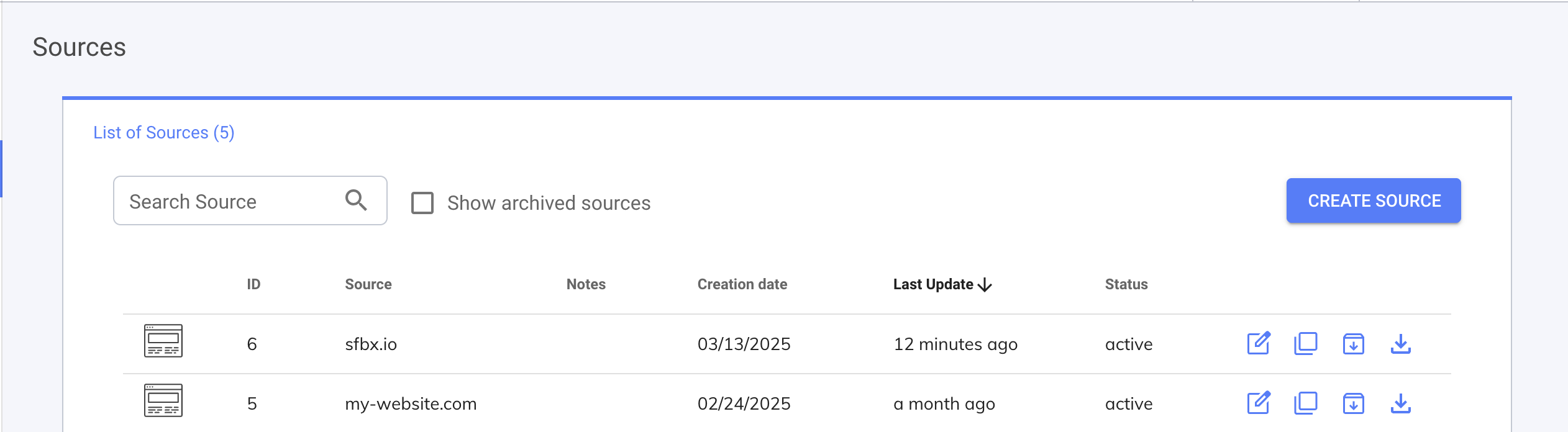
Your source now appears on the board:
* **ID:** the unique ID of the source.
* **Target URL or App ID:** the name of the source
* **Creation:** Time elapsed since the creation of the notice.
* **Last Update:** Time elapsed since the last update of the notice.
* **Status:** For now only one status: active.
## Edit your source
You can edit your source at any time. Just go back to the **Sources** menu and click on the row of your choice. The page will appear and you can update your source information.
{% hint style="danger" %}
**CAUTION**
To make the changes appear in the notices, you must save all the notices concerned. Just edit the notice and save it (you don't need to alter anything). A new version of the CMP will be pushed to production.
{% endhint %}