> For the complete documentation index, see [llms.txt](https://docs.sfbx.io/llms.txt). Markdown versions of documentation pages are available by appending `.md` to page URLs; this page is available as [Markdown](https://docs.sfbx.io/configuration/step-3-notice-implementation-web-app-tv/android.md).
# Android
How to use the SDK ?
The transition to **TCF v2.3** brings significant improvements in terms of transparency for the end user and reliability in the transmission of consent signals to advertising partners (vendors).
**Key points of the update**
* Increased transparency: Improved descriptions of data processing purposes for the user.
* Support for new signals: Optimized management of consent signals for new types of vendors approved by the IAB.
* Interoperability: Ensures that your application remains compatible with the latest requirements from Google and other major advertising platforms (AdTech).
Like all libraries, you'll need to follow a number of steps before using our SDK.
### TargetSdk & CompileSdk
Please note this technical information regarding the configuration of your project.
{% hint style="warning" %}
**Target API Level requirement**
[API level requirements](https://developer.android.com/google/play/requirements/target-sdk)
When you upload your APK, it must meet Google Play's target above *(see link)*.
For this reason, we try to adapt our product as best we can so that it is as up to date as possible, taking advantage of the latest features and updates to the Android APIs.
However, we also strive not to offer a product that imposes these restrictions, and to this end, we follow Google's recommendations by keeping the required targeting level at “minus 1.”
The goal is to continue to take advantage of updates to our product and ensure that your application continues to meet the requirements of the digital marketing industry, while giving you time to migrate.
{% endhint %}
### Google Requirement
This information is only useful if your application targets both children and an older audience.
{% hint style="info" %}
**Privacy policy**
\
It may be necessary to implement an age-neutral screen in your application if it targets both children **AND** an older audience.
**Message from google:**\
Apps that target **both**: **children** AND **older audiences** must not implement APIs or SDKs that are not approved for use in child-directed services unless they are used behind a neutral age screen or implemented in a way that does not result in the collection of data from children.\
\
Here is a list of links to help you understand Google's requirements
* [Google Play Families Policies](https://support.google.com/googleplay/android-developer/answer/9893335?hl=en)
* [Integrate neutral age screen](https://support.google.com/googleplay/android-developer/answer/9867159?hl=en#neutral-agescreen)
* [Manage target audience and app content settings](https://support.google.com/googleplay/android-developer/answer/9867159?hl=en)
* [Google Ads requirements](https://support.google.com/googleplay/android-developer/answer/9893335?hl=en#ads_and_monetization)
* [Understanding Google Play's Families policies](https://playacademy.exceedlms.com/student/catalog/list?category_ids=2558)
{% endhint %}
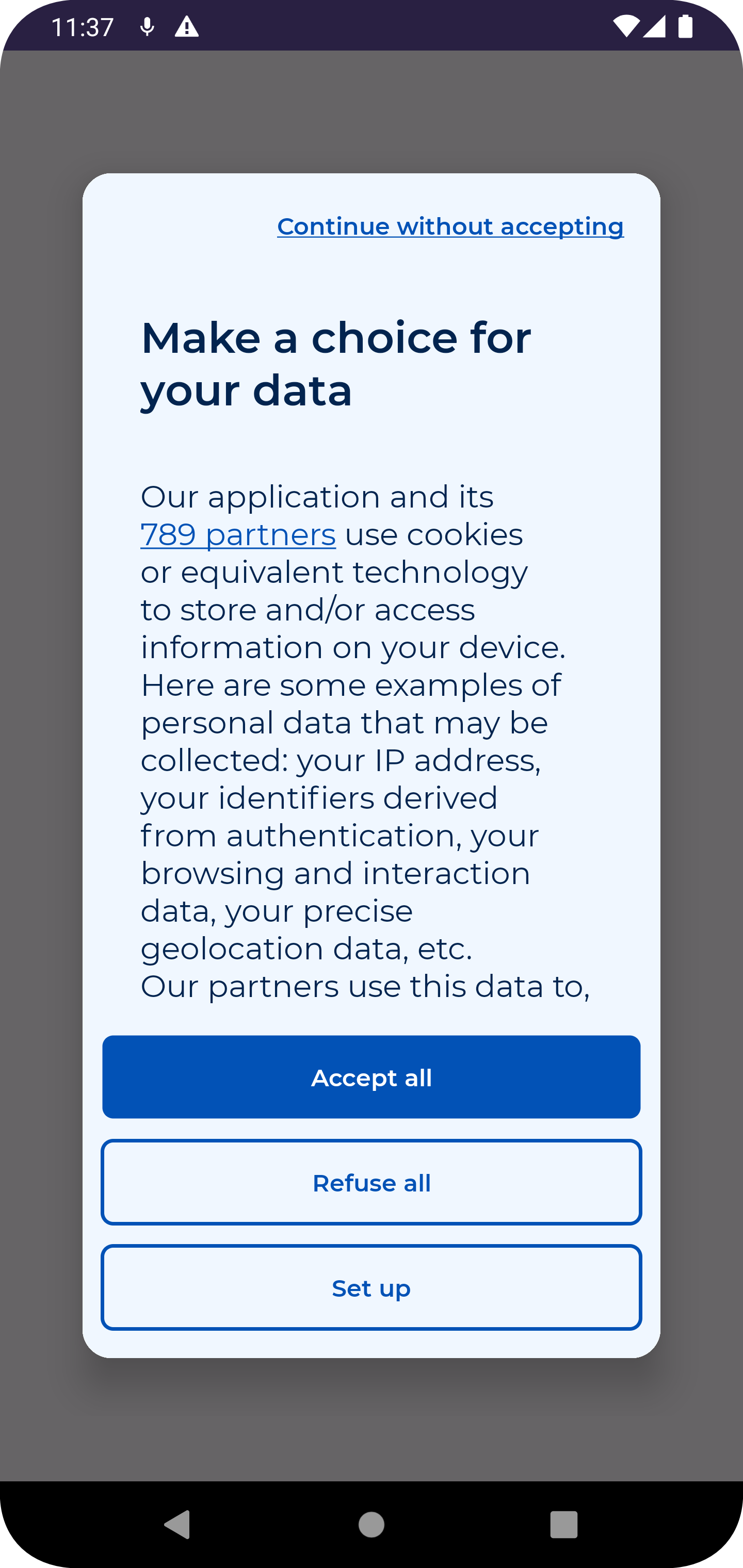
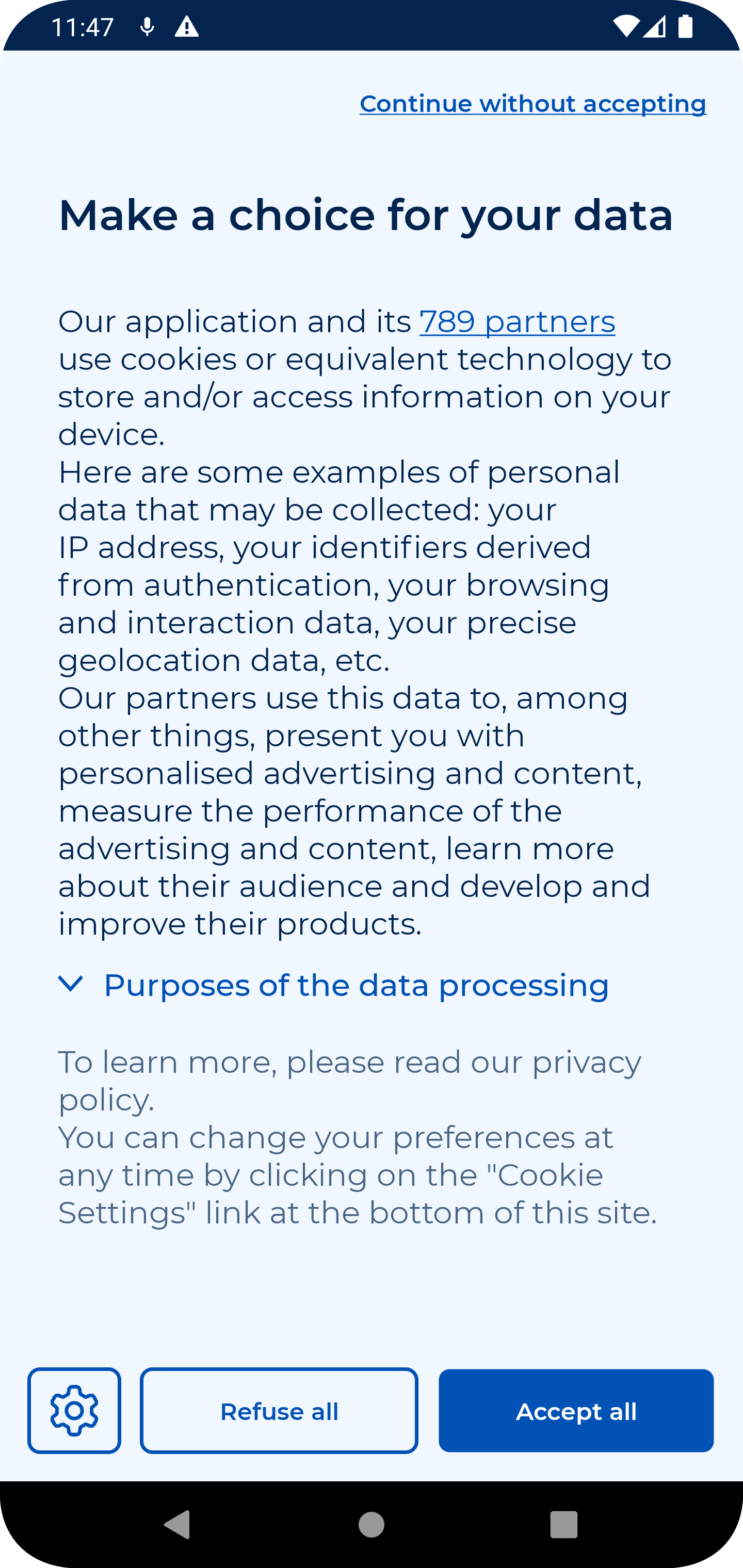
Expand to get an overview of the CMP





#### Let's start at the beginning
{% hint style="success" %}
**TOTAL TIME**
From integration to display *(excluding the settings in your Notice)* - Less than **1 minute** :timer:
{% endhint %}
**1.** Add our maven url to your repositories\
**2.** Add the dependency that corresponds to your platforme\
**3.** Initiate the SDK, display the CMP and voilà!