> For the complete documentation index, see [llms.txt](https://docs.sfbx.io/llms.txt). Markdown versions of documentation pages are available by appending `.md` to page URLs; this page is available as [Markdown](https://docs.sfbx.io/configuration/step-3-notice-implementation-web-app-tv/web-cmp/implement-with-shopify.md).
# Implement with Shopify
On this page you'll find instructions on how to implement AppConsent CMP with Shopify.
***
### 1. Open the code edition of your Shopify template
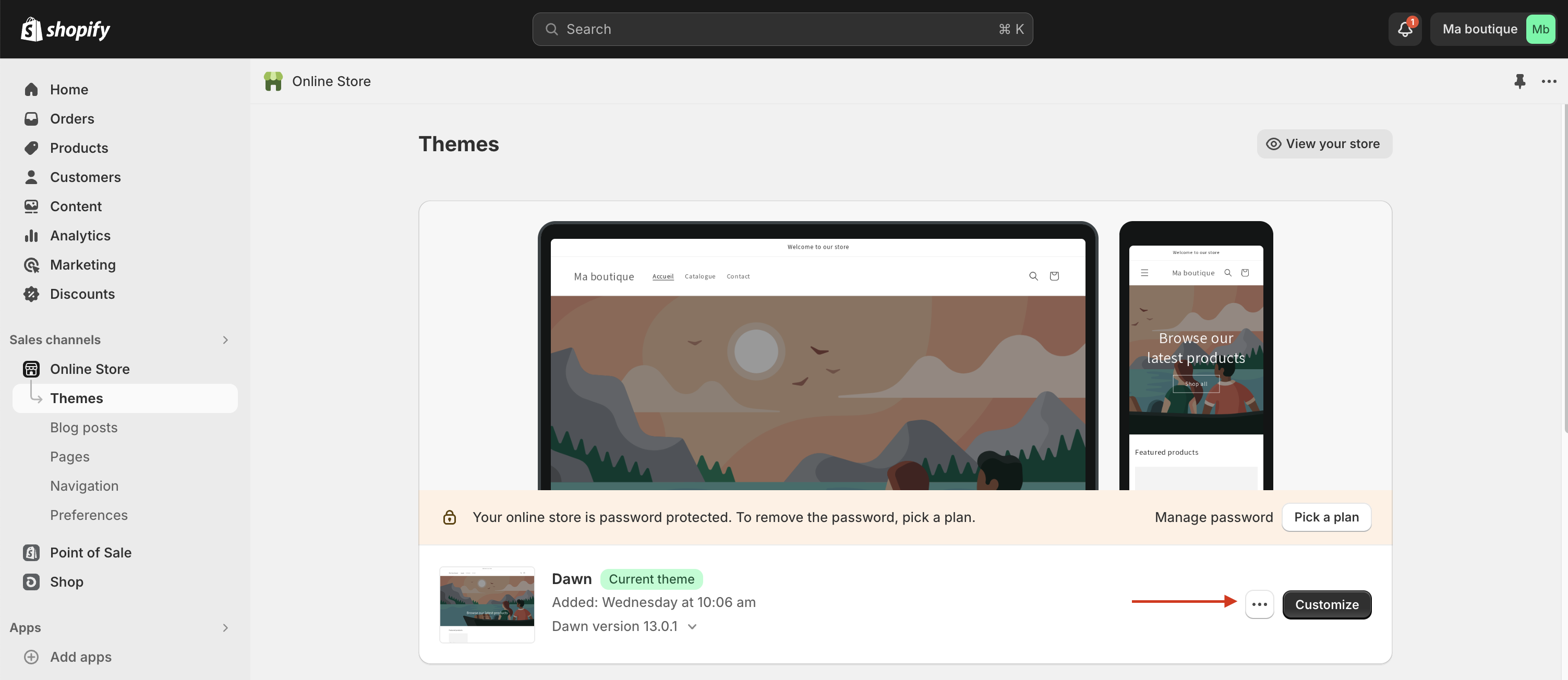
In Shopify :
1. Go to Online Store → Themes
2. Click on the "..." button
3. Click on "Edit code"
### 2. Add the web CMP in the theme code
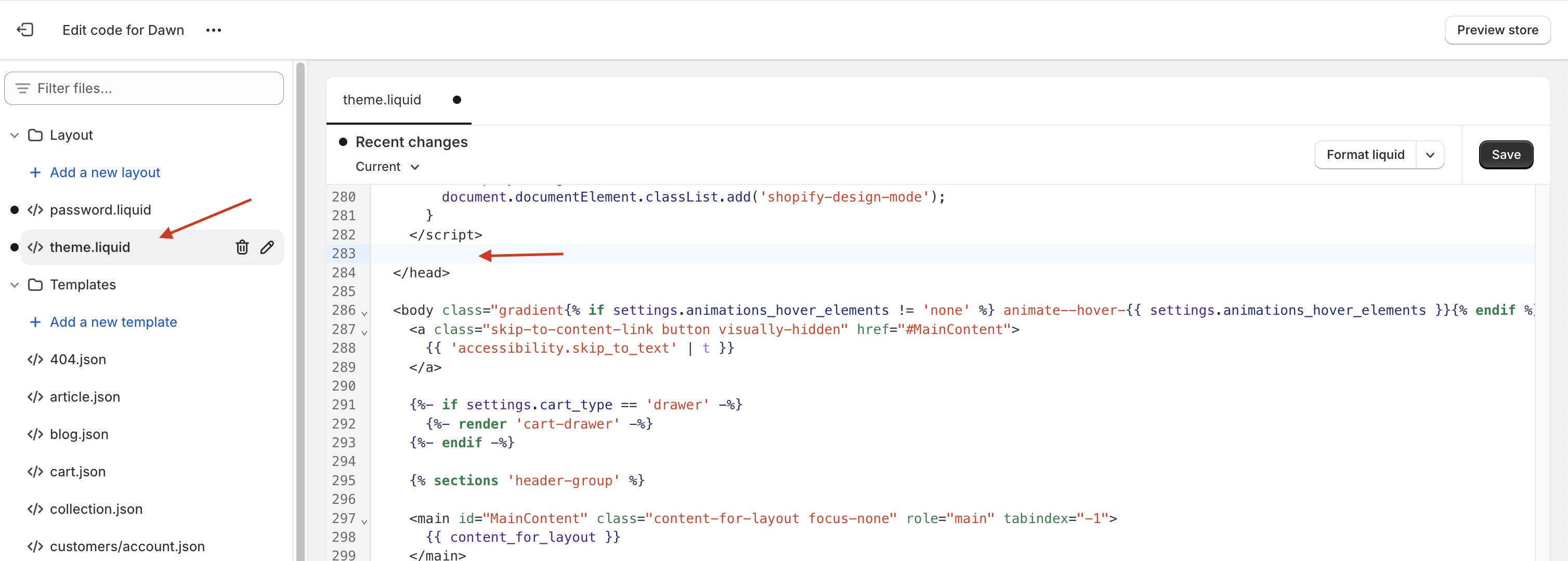
1. In the side menu, open the theme file containing your site's html base. For our example theme, we'll use theme.liquid
2. Then place yourself before the end of the `` tag.
3. And add the following code
```
// PUT THE CODE OF CMP IMPLEMENTATION HERE
```
{% hint style="info" %}
**INFO**
We have to wrap the cmp implementation code, as shopify's customization mode is not compatible with the CMP code.
{% endhint %}
4. Retrieve the implementation code for your notice, by going to the **Notices** tab in the configuration interface, then under the notice you wish to integrate, copy the integration code using the "Copy" button.
5. Delete the text "PUT THE CODE OF CMP IMPLEMENTATION HERE" from the shopify implementation and paste the code from the web implementation instead
6. Save your theme page, and you should have an implementation that looks like this:
```