> For the complete documentation index, see [llms.txt](https://docs.sfbx.io/llms.txt). Markdown versions of documentation pages are available by appending `.md` to page URLs; this page is available as [Markdown](https://docs.sfbx.io/go-further/find-trackers-on-your-website-consent-guard.md).
# Find trackers on your website (Consent Guard)
Consent Guard is useful to see the trackers that are placed on your website, engage a clean-up by removing unwanted cookies if necessary, and finally create your source accordingly.
1. In the left menu, go to **Consent Guard**.
2. Then enter a URL address you would scan in the field **Find out which trackers are used on your website.**
3. **Enter your website URL and run a scan.**
Our tool will need a few seconds to find all the trackers present on your website.
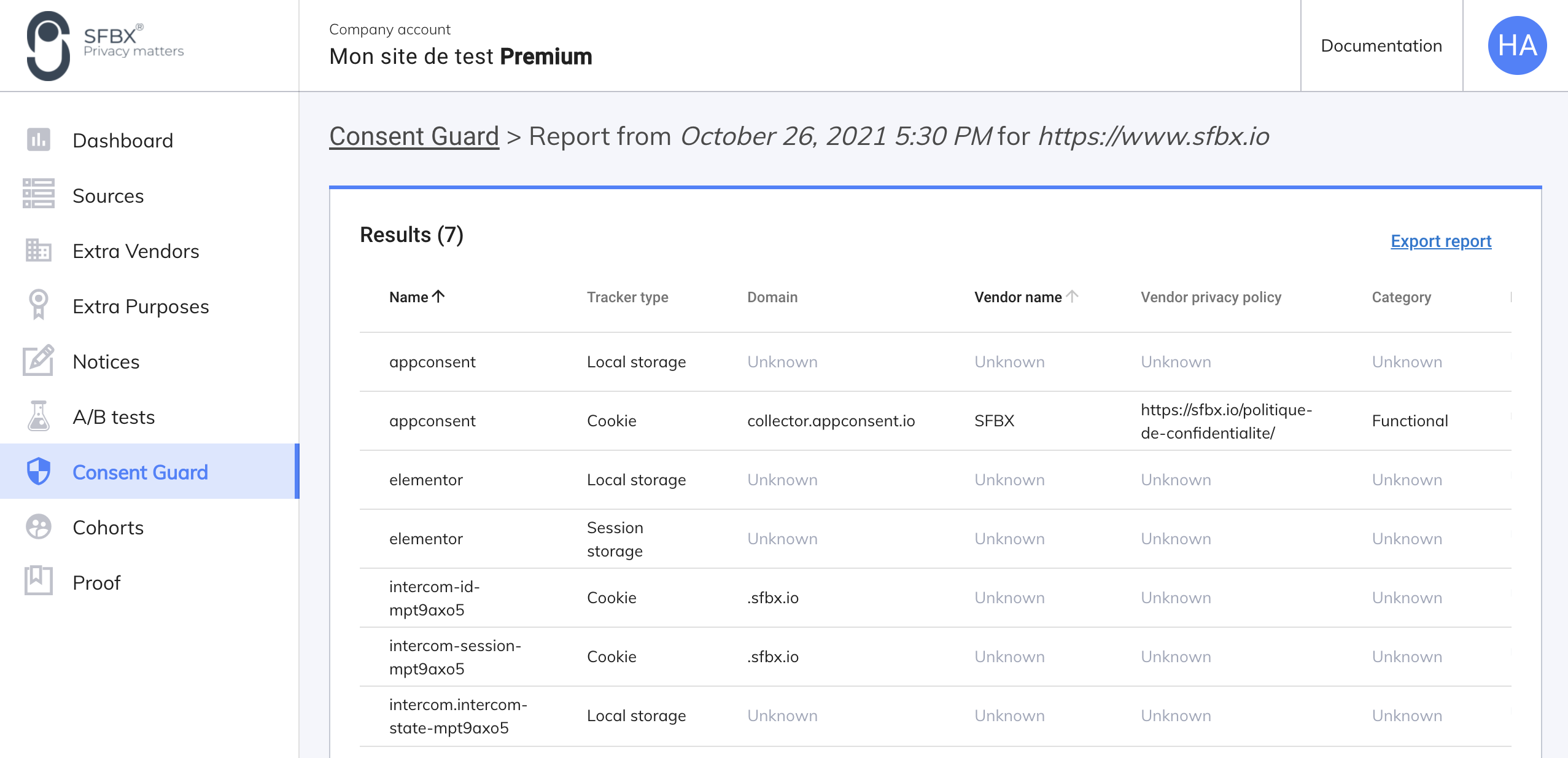
Then, on the result page, you have these informations for each tracker :
* a name
* a type: cookie; local storage; storage
* a domain ( it's an URL)
* a vendor name
* the privacy policy link of the vendor
* a tracker's category ( necessary, functional, analytics, performance, advertising, other)
* a description
* an expiration date
Once a report is created, you can access it from the main Consent Guard page, at the Report section. From there you can export any report in PDF or CSV format and also delete some reports from the column Actions.
Now, you know all your vendors you can [create your source](/configuration/step-2-create-a-notice/2.1.-create-a-source.md) and add them accordingly in the vendor's field.